Asset Lifecycle Manager
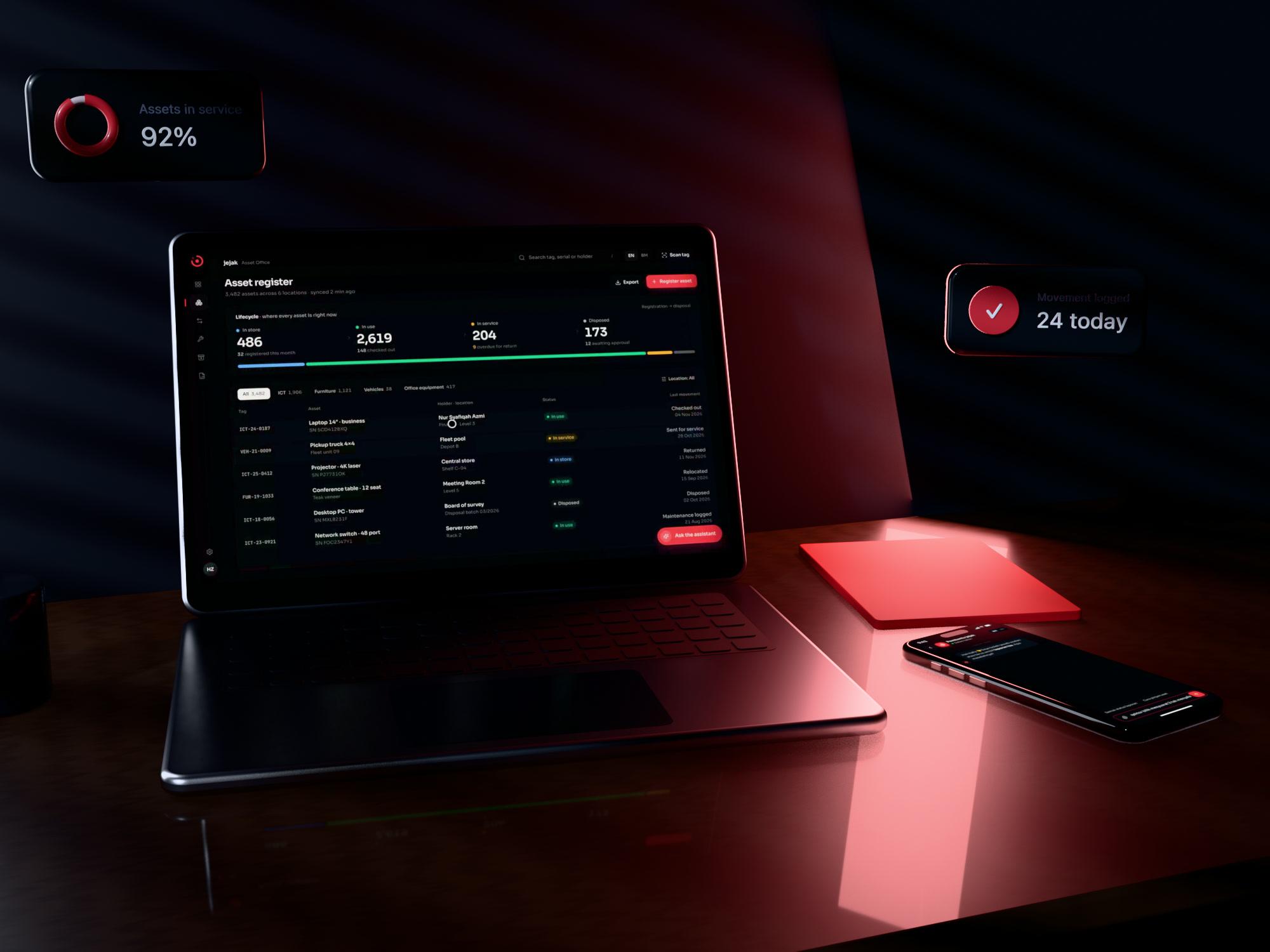
Asset register with an AI helpdesk assistant.
- Role
- UI/UX design · Full stack
- Year
- 2024 — 2025
- Platform
- Web app
- Stack
- Web app · AI chat assistant
Overview
The problem
A government agency kept track of equipment in spreadsheets and paper forms. Nobody could say quickly where an item was, who had it, or when it was due for service — and staff questions about the process went to a busy IT inbox.
The idea
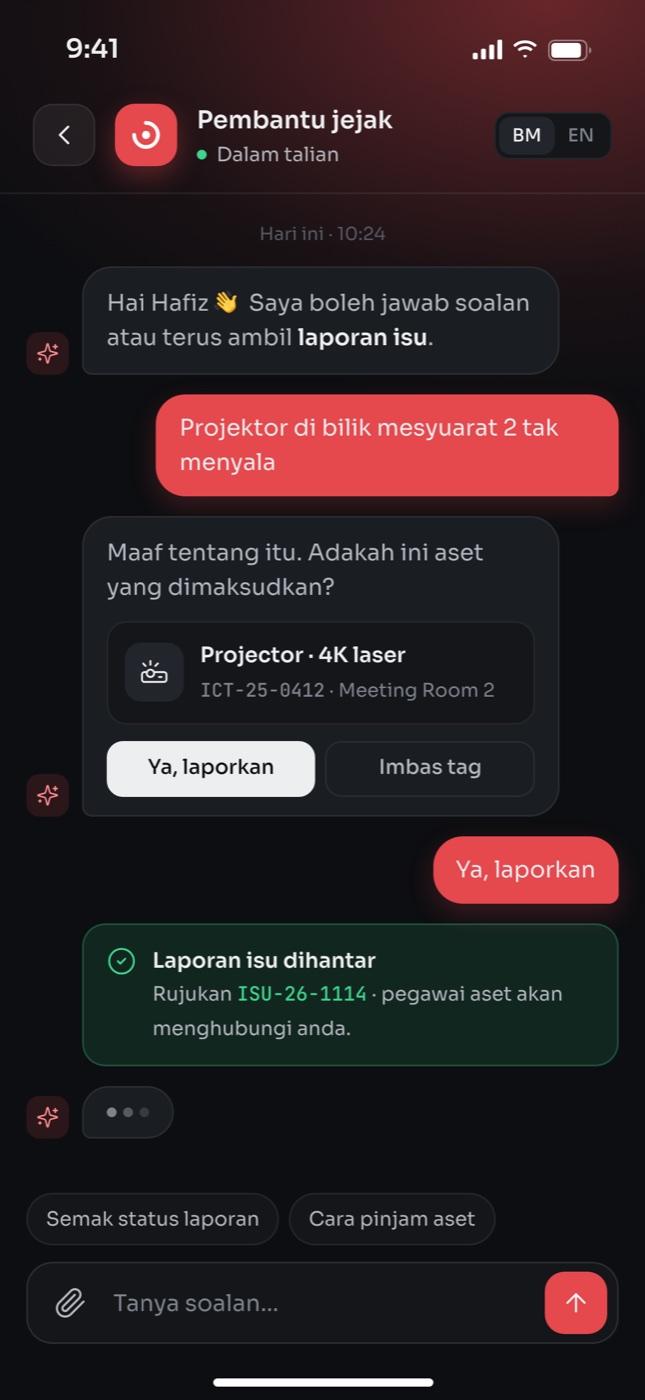
A single asset register that follows each item from registration to disposal, with a built-in assistant that answers how-to questions and takes issue reports right from the login screen.
Built for a government agency. Shown anonymised — screens are recreated with sample data.
What I did
Design
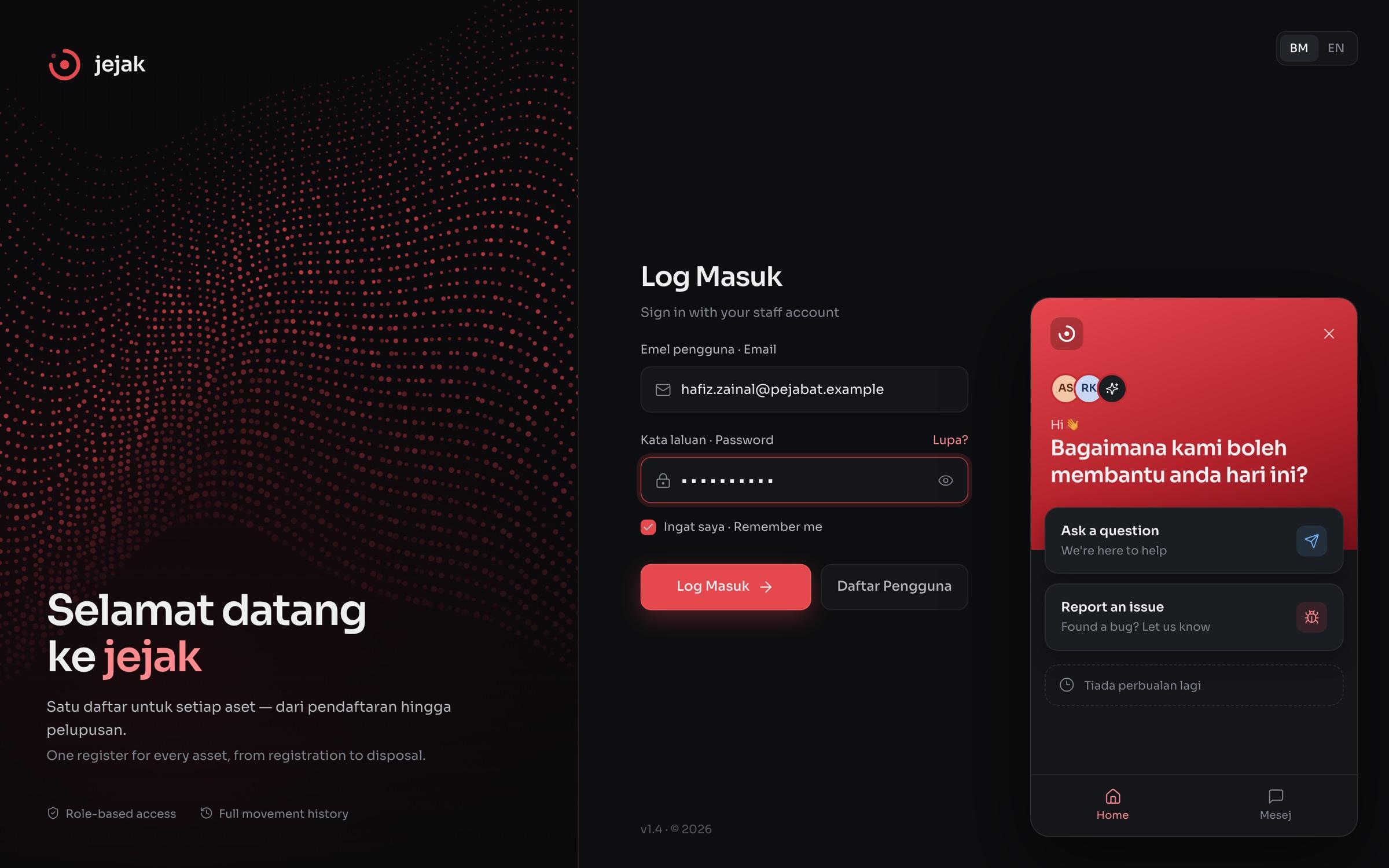
- 01Bilingual login page with the assistant available before sign-in
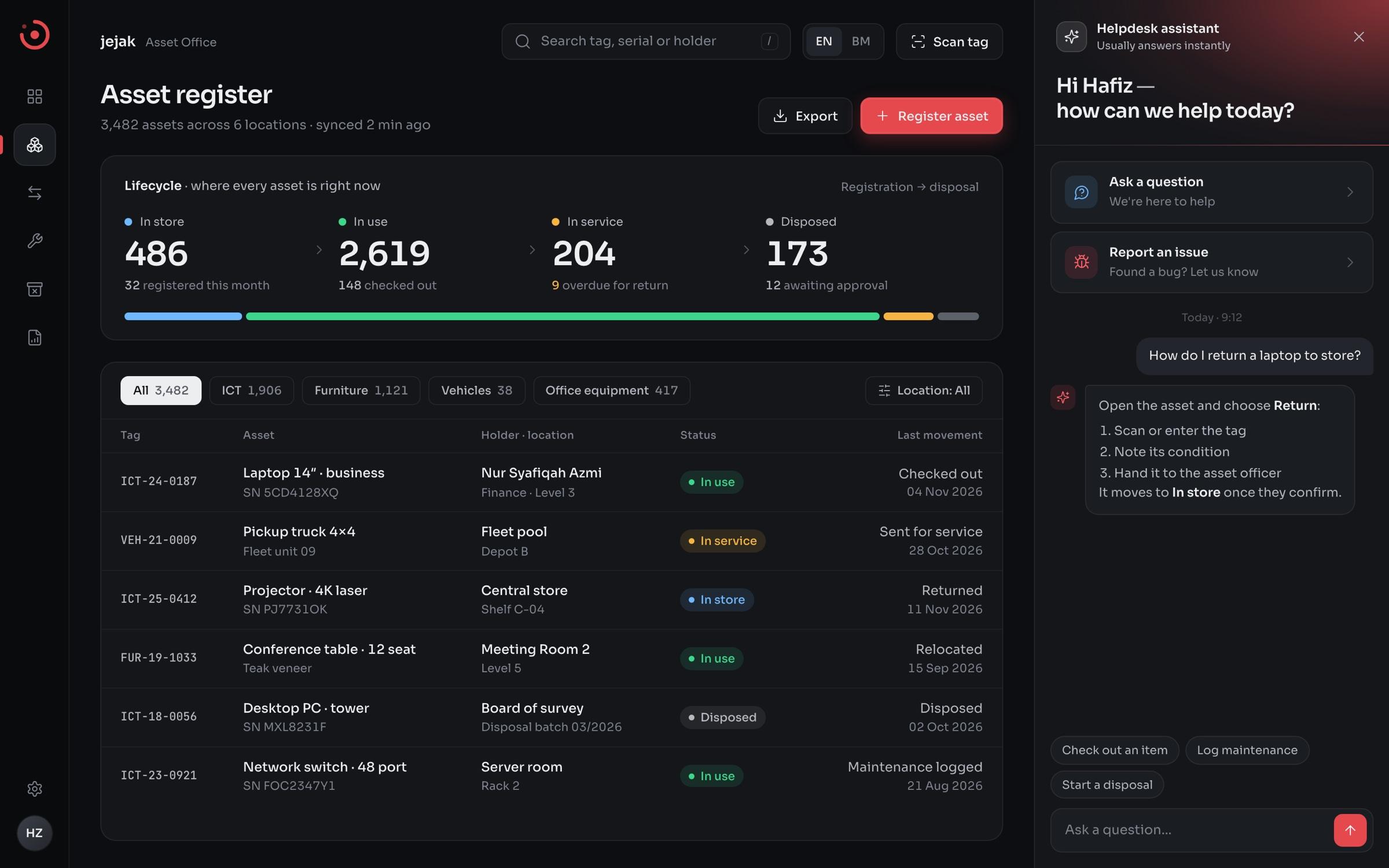
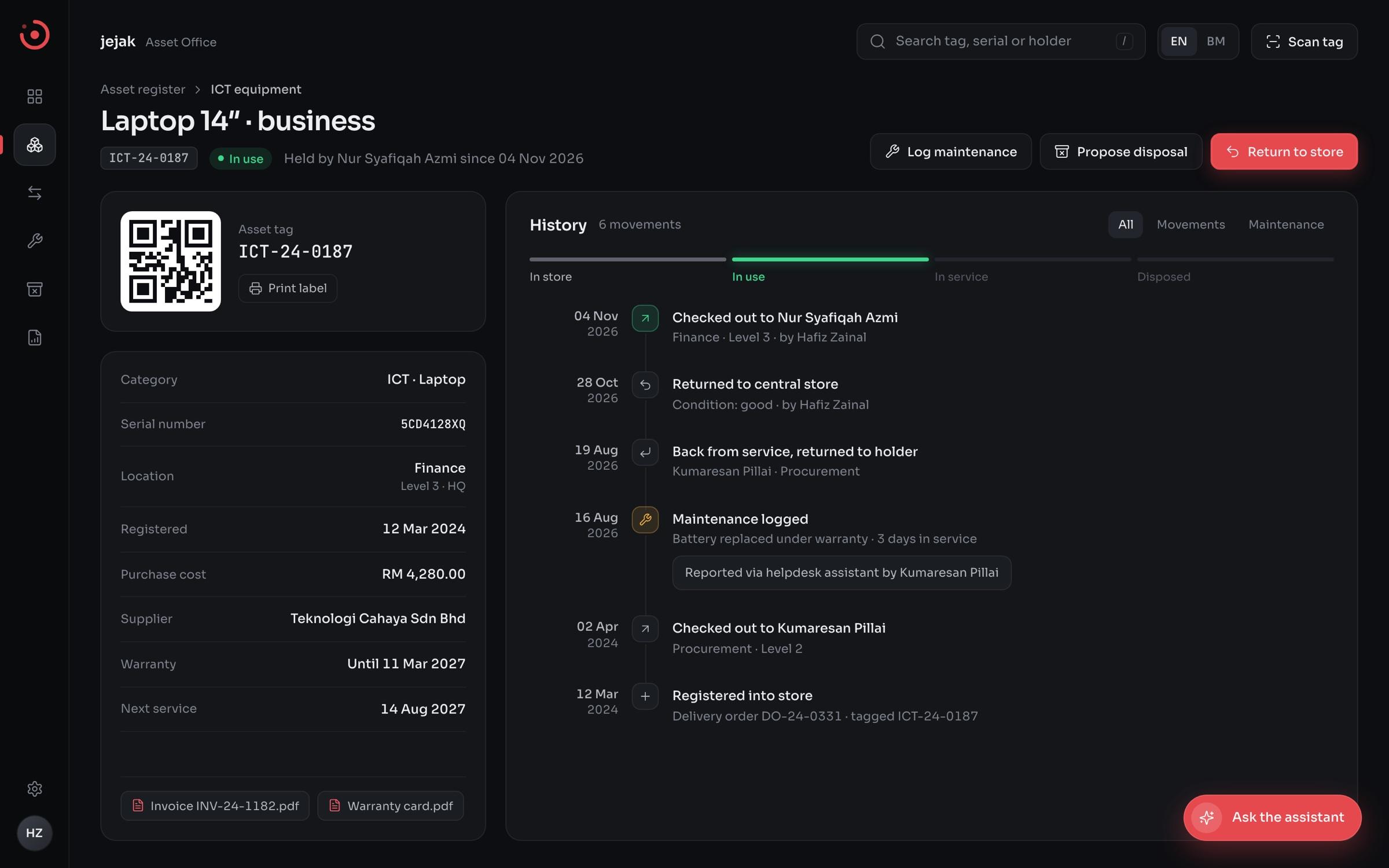
- 02Asset register built around lifecycle status: in store, in use, in service, disposed
- 03Asset detail view with a single history timeline for every movement
- 04Helpdesk assistant with two clear entry points: ask a question or report an issue
Engineering
- 01Account login and role-based access for staff and asset officers
- 02Asset records with tagging, check-out / return and maintenance logging
- 03Embedded AI chat assistant for helpdesk questions and issue reports
- 04Disposal workflow so retired items leave the register with a record
How it works
Screens
Under the hood
Web app
Register · lifecycle views
AI assistant
Helpdesk chat · issue reports
Application API
Auth · roles · asset records
Database
Assets · movements · audit history
End-to-end
Registration through disposal in one register
AI
Helpdesk assistant on every screen
BM / EN
Bilingual interface
History
Every movement kept on the asset record